
$5
SVG Converter
SVG in. PNG, JPG, GIF, or WebP out. A small Windows app for the everyday “I just need a normal image” job — no giant design suite required.
What it is
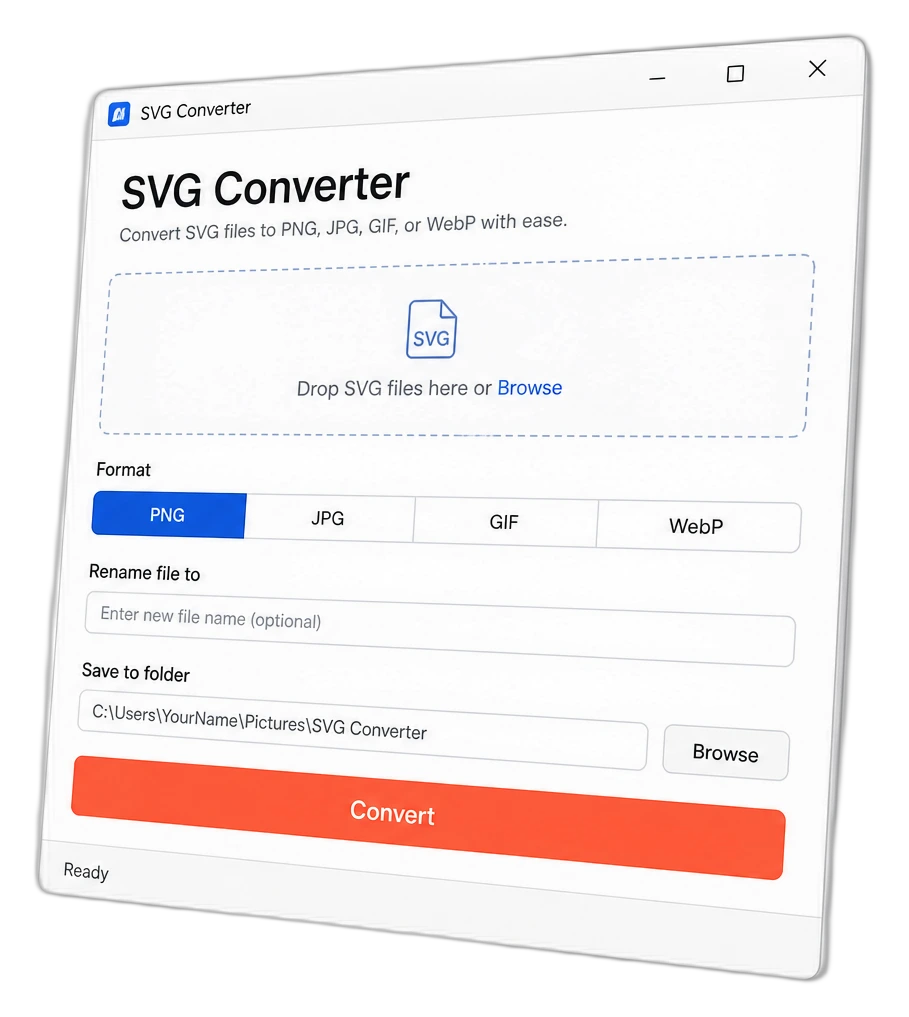
SVG Converter is a Windows desktop app that turns SVG drawings into everyday image files. Websites, docs, and many tools want PNG or JPG — not SVG. This app does that job in a few clicks.
- Output formats: PNG, JPG, GIF, or WebP.
- Drag files onto the drop zone, or click Browse.
- Optional rename (one file at a time) and a Save to folder picker.
- Runs on your PC — nothing uploaded to someone else’s server.
How it helps
You don’t need Illustrator open for a one-off export. Drop the SVG, pick a format, convert, done.
Web & docs ready
Many sites and Word docs won’t take an SVG. Export a PNG or JPG they will accept.
Keep transparency when you can
PNG, WebP, and GIF can keep see-through areas. JPG cannot — clear areas become white.
Local & simple
Status shows at the bottom. No account, no cloud queue — just convert on your machine.
Key features
The controls you’ll actually use
One window. Clear steps. Honest limits (like JPG and transparency).

Drop or Browse
Add one or more SVG files. Drag-and-drop works when your Windows build includes it; Browse always works.

Format + rename + folder
Pick PNG / JPG / GIF / WebP. Optionally rename a single output. Choose where files land, then Convert.
What’s included & how to install

Windows .exe folder — keep the whole SVG-Converter folder together; don’t move the .exe out alone.

Double-click to open — add SVGs, pick a format, choose the save folder, click Convert.

Transparency tip — use PNG, WebP, or GIF when you need see-through bits; JPG fills them white.
Get SVG Converter
$5 · Windows app
Pay with PayPal. Your download link arrives by email after purchase.